

Black Hole Imager
See a spinning black hole as it would really look: every pixel is a light ray traced through the Kerr spacetime, with frame dragging, Doppler and gravitational shifts, an accretion disk and your own 3D objects.
15 views0 favorites
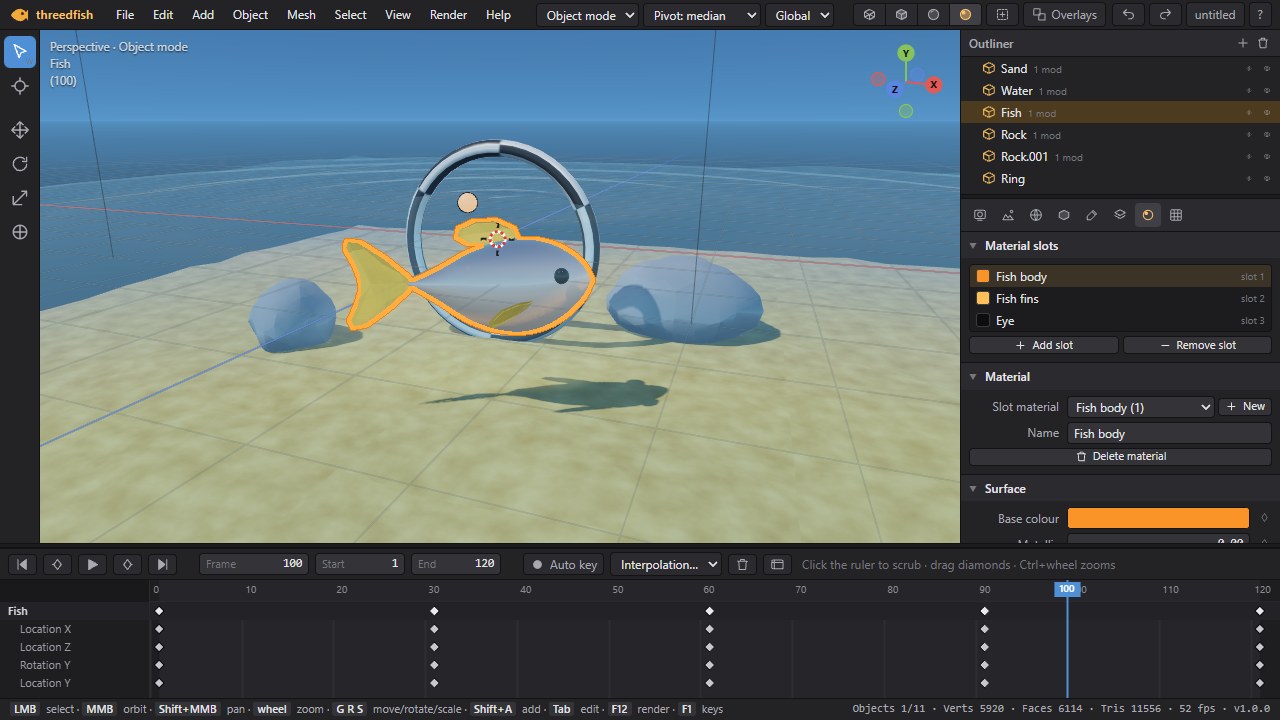
A 3D studio in your browser: build models from primitives and the mascot fish, edit vertices, edges and faces, stack modifiers, paint materials, set lights and cameras, animate with keyframes and render pictures or short films. Imports and exports OBJ, STL, glTF/GLB and PLY. Nothing to install.
Runs in your browser – nothing to install.
threedfish is a small Blender in a browser tab. Object mode moves, turns and scales things with a gizmo or the keys G, R and S with X/Y/Z locks and typed numbers; edit mode (Tab) selects vertices, edges and faces and extrudes, insets, bevels, loop-cuts, subdivides, merges, bridges, spins, dissolves, fills and smooths them, with proportional editing and snapping to other objects; sculpt mode pushes a subdivided mesh around with Draw, Smooth, Inflate, Flatten, Grab and Pinch brushes.
A non-destructive modifier stack gives you Subdivision (Catmull-Clark), Mirror, Array, Solidify, Smooth, Displace, Simple Deform (twist, bend, taper, stretch), Cast, Wave, Weld, Triangulate and Bevel. Materials are physically based – colour, metallic, roughness, emission, transparency – with texture channels for colour, roughness, metallic, normal, emission and alpha maps: imported images, images you paint yourself in Texture paint mode (on the model or flat in the UV editor), and procedural checkers, noise, bricks, marble, wood, cells, grids, gradients, dots and stripes, mapped by UV, box, planar or sphere projection. The UV editor unwraps (smart, box, planar, sphere, cylinder), packs and transforms islands; normal maps can be made from any texture. Sun, point and spot lights, perspective and orthographic cameras, a world with sky gradient and fog.
Keyframe location, rotation, scale, light and material values on a timeline with a dope sheet, play it back, and render a picture (F12) with supersampling and soft sun shadows or a whole animation (Ctrl+F12) as a WebM video or a ZIP of PNG frames. Projects are saved as .3df files or in the browser with thumbnails, with an autosave every minute. Import OBJ, STL, glTF/GLB, PLY and images as planes; export GLB with hierarchy, materials and animation, OBJ+MTL, STL and PLY. Copy and paste objects between projects, step through the undo history.
Keyboard and mouse, Blender-style keys (F1 shows them all, F3 opens the command palette). Needs WebGL 2. Nothing leaves your browser: this tool has no cloud saves and no account.
No comments yet.
See a spinning black hole as it would really look: every pixel is a light ray traced through the Kerr spacetime, with frame dragging, Doppler and gravitational shifts, an accretion disk and your own 3D objects.
A complete music studio in your browser: arrangement and session view, synths, drum racks, effects, sound packs, MIDI controllers, automation, recording and WAV export.
Resize, convert (PNG, JPEG, WebP) and compress images right in your browser – nothing is uploaded.
Turn a song into a YouTube-ready music video: audio-reactive visualizers, lyrics, photos and effects, rendered to MP4 right in your browser.


Log in to write a comment or reply. A moderator checks every comment before it appears – for security and to keep spam and abuse out.